



AudiBar 2.2.0 for Mac Free Download
AudiBar 2.2.0 for Mac should not require a full music library setup or multiple apps. Most media players focus on subscriptions, cloud syncing, or large music collections before they even let you play a single file. It does not open large windows or force you to organize a library. You simply drag an audio file onto the menu bar icon and playback starts immediately. No import process, no account sign-in, and no unnecessary setup.
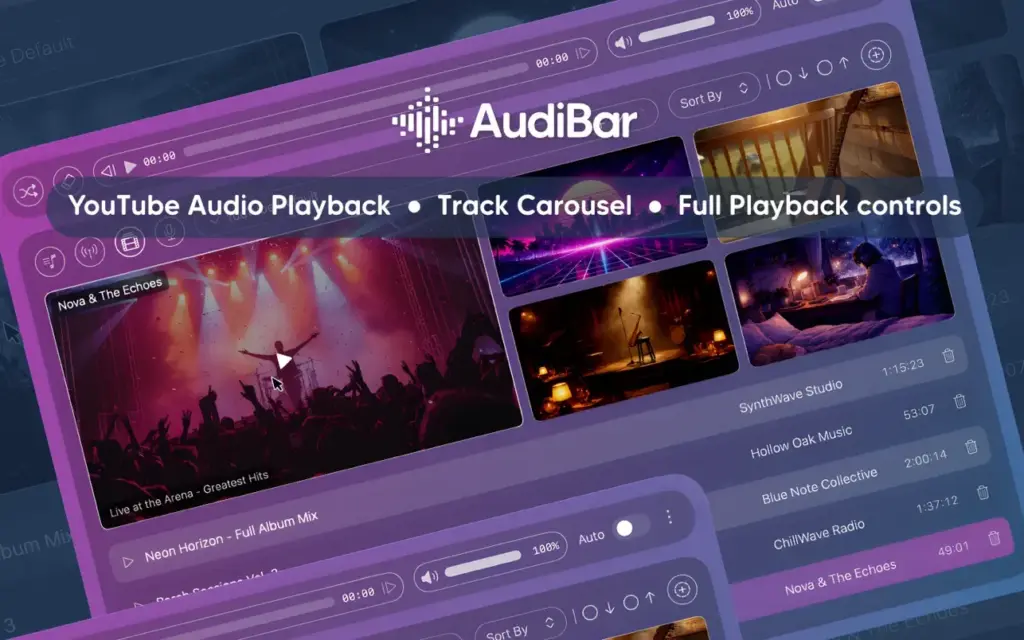
The app supports much more than local audio playback. You can stream internet radio stations by pasting station URLs, subscribe to podcast RSS feeds, and even play YouTube audio directly without opening a browser. Everything works from a compact menu bar interface that stays accessible from anywhere on your Mac. You can also download Structured.
AudiBar for Mac Free Download
AudiBar includes a multi-playlist system that lets you organize local tracks, internet streams, podcasts, and YouTube audio separately. Each playlist keeps its own sorting preferences for easier management. You can also drag an entire folder into AudiBar and automatically create playlists instantly.
Playback controls are designed for convenience and speed. The app supports playback speed adjustment from 0.5x to 2x with pitch correction, sleep timers with smooth fade-out, media key support, and native macOS Control Center integration.
Privacy is another major advantage. AudiBar runs locally on your Mac without requiring accounts, subscriptions, or cloud syncing. Your listening data, playlists, and audio files stay entirely on your device.
Features of AudiBar for Mac
- Instant drag-and-drop playback directly from the macOS menu bar
- Supports MP3, WAV, FLAC, M4A, AAC, AIFF, AIF, CAF, and MP4 audio formats
- Internet radio streaming with M3U, M3U8, PLS, XSPF, ASX, RSS, and direct URL support
- Displays live track and artist information through ICY metadata
- YouTube audio playback by simply pasting a YouTube link
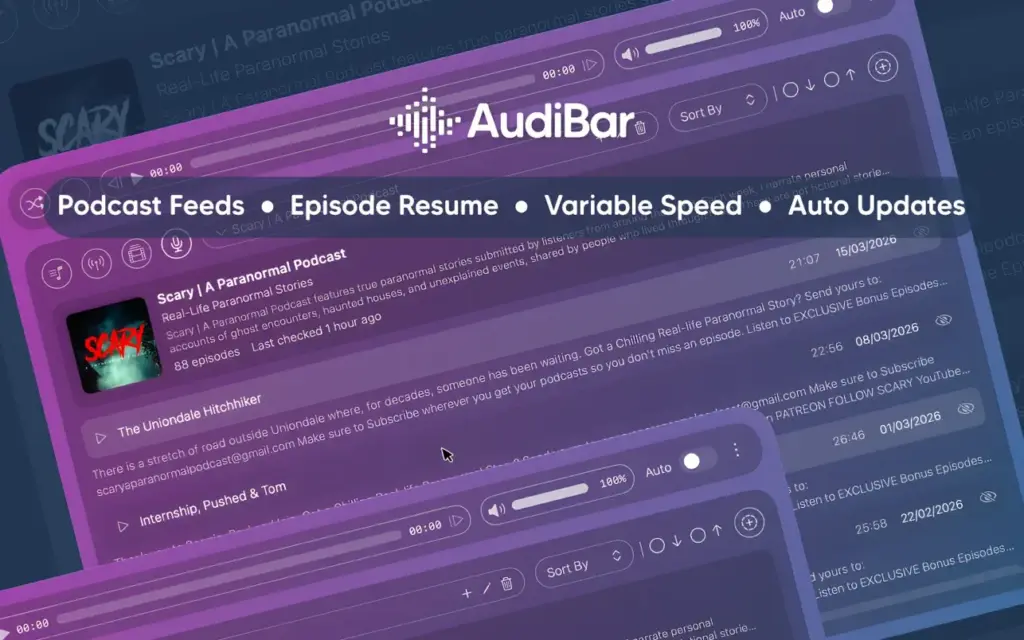
- Podcast RSS feed support with automatic feed refreshing
- Saves playback position for podcast episodes automatically
- Multi-playlist support with separate sorting preferences
- Create playlists instantly by dragging folders into the app
- Shuffle playback and automatic next-track playback support
- Playback speed control from 0.5x to 2x with pitch correction
- Built-in sleep timer with smooth audio fade-out
- Independent volume control separate from macOS system volume
- Full media key support for play, pause, and skip functions
- Native macOS Control Center playback integration
- Keyboard shortcut support with built-in shortcut help window
- Finder “Open With” integration for quick playback
- iCloud Drive support with background file loading
Technical Details
- Software Name: AudiBar for Mac
- Software File Name: AudiBar_2.2.0.dmg
- Version: 2.2.0
- File Size: 7 MB
- File Extension: DMG
- License Type: Premium
- Developer: Codel Dev
System Requirements
- Operating System: macOS Sonoma 14.0 or later
- Processor: Intel Core i5 or Apple Silicon (M1 / M2 / M3 / M4)
- RAM: 4 GB minimum, 8 GB recommended
- Free Storage Space: 150 MB available space
What Are the Best Alternatives to AudiBar for Mac?
Vinyls
A lightweight menu bar audio player focused on album artwork and visual playback controls. It offers a similar minimal experience but with more emphasis on interface design.
IINA
A modern macOS media player that supports both audio and video playback with extensive format compatibility. Better suited for users who want a full desktop media player.
Foobar2000
A powerful audio player designed for advanced users and audiophiles. It provides extensive playback customization and advanced audio configuration tools.
Apple Music
Apple’s official music platform with cloud syncing, streaming subscriptions, and full music library management for macOS users.
RadioBar
A dedicated internet radio streaming app for macOS with access to thousands of global radio stations.
AudiBar is best suited for Mac users who want fast local playback, internet radio, podcasts, and YouTube audio access from a lightweight menu bar application without subscriptions or complicated setup.