
Dato 5.8.1 for Mac Free Download
Dato 5.8.1 for Mac is a lightweight yet powerful menu bar calendar and world clock app designed specifically for macOS. Developed by Sindresorhus, the app replaces the standard macOS clock with a smarter and more customizable solution. It gives you quick access to multiple world clocks, upcoming calendar events, time zones, reminders, and meeting integrations — all directly from the menu bar.
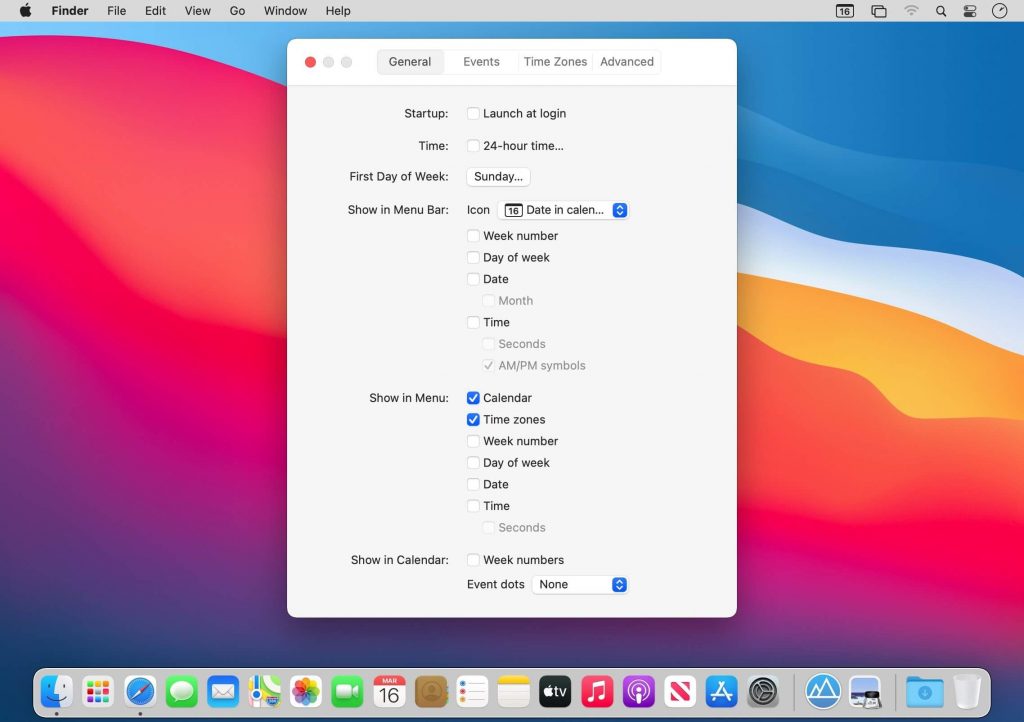
Unlike the default macOS clock, Dato provides advanced customization features while still maintaining a clean and native Apple-style appearance. It looks simple on the surface, but underneath it offers a highly flexible set of tools for productivity and time management.
Dato 5 for Mac Free Download
Dato is especially useful for remote workers, developers, content creators, students, and professionals who regularly work across different time zones. You can instantly check the current time in different regions, manage your upcoming events, and launch meetings directly from the menu bar without opening additional applications.
The app also integrates smoothly with Google Calendar, Google Meet, and Zoom meetings. You can view your schedule, join meetings, and track international time zones from a single compact interface.
Clean and Minimal Interface
One of the biggest advantages of Dato is its clean and native macOS design. The application blends perfectly into the macOS menu bar and feels like a natural extension of the operating system.
You can fully customize how the clock appears in the menu bar, including:
- Showing seconds
- Displaying weekday names
- Custom date formats
- Time separators
- Calendar colors
- Week numbers
- Event indicators
Everything can be adjusted according to your workflow and personal preference.
World Clock Support
Dato allows you to add multiple world clocks directly into the menu bar dropdown. This makes it extremely convenient for users who communicate with teams, clients, or friends across different countries.
You can:
- Add unlimited time zones
- Rename cities with custom labels
- Reorder world clocks
- Display local sunrise and sunset times
- Compare multiple regions instantly
The app supports both local and international time zones and works with virtually every region worldwide.
Calendar and Event Management
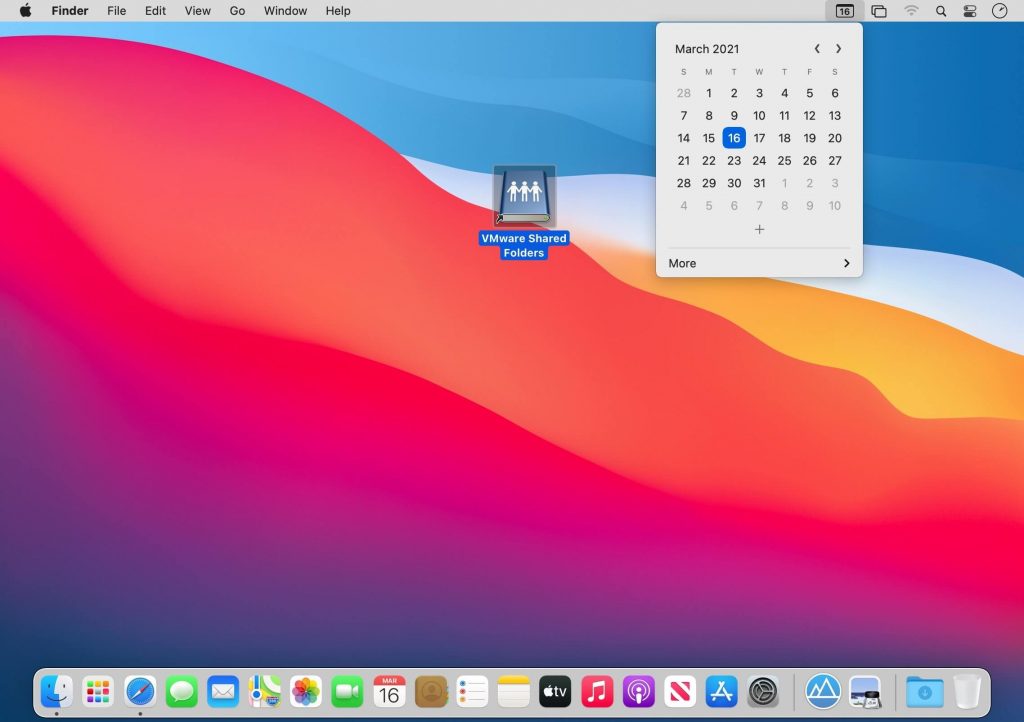
Dato includes a built-in calendar with event indicators and upcoming reminders. You can quickly view your schedule without opening the default Calendar app.
Supported features include:
- Monthly calendar view
- Event indicators
- Upcoming meeting reminders
- Week numbers
- Highlighted important dates
- Quick event overview
The integration with Google Calendar makes it easier to stay organized and updated throughout the day.
Google Meet and Zoom Integration
Dato supports direct meeting integrations for both Google Meet and Zoom. If you have upcoming meetings scheduled in your calendar, the app can display quick join buttons directly inside the dropdown menu.
This feature is extremely useful for remote work and online collaboration.
Keyboard Shortcuts
The application also supports keyboard shortcuts for faster access and productivity. You can instantly open the calendar, switch between time zones, or launch events without manually navigating through menus.
Lightweight and Efficient
Dato is a very lightweight application that consumes minimal system resources. Even when running continuously in the background, it has almost no impact on overall Mac performance.
The small app size and optimized performance make it suitable for both older Intel Macs and newer Apple Silicon Macs.
Features of Dato 5 for macOS
- Replaces the default macOS menu bar clock with advanced functionality
- Displays multiple world clocks in the menu bar
- Supports local and international time zones
- Fully customizable date and time display
- Shows seconds in the menu bar
- Built-in calendar with event indicators
- Google Calendar integration
- Google Meet and Zoom meeting support
- Highlight important days and upcoming events
- Custom names for world clocks and cities
- Keyboard shortcut support for faster workflow
- Lightweight and optimized for macOS
- Simple and native macOS interface
- Supports multiple languages and regional formats
- Week number and calendar customization options
Technical Details
Mac Software Full Name: Dato 5 for macOS
Setup App File Name: Dato_5.8.1.dmg
Version: 5.8.1
Full Application Size: 10 MB
Setup Type: Offline Installer / Full Standalone Setup DMG Package
Compatibility Architecture: Apple Silicon & Intel
Latest Version Release Added On: 01 June 2026
License Type: Full Version
Developer: Dato Official Website
System Requirements for Dato 5 for Mac
- macOS 10.15 Catalina or later
- 128 MB RAM
- 50 MB free storage space
- Intel or Apple Silicon processor
- 1280×1024 monitor resolution
Frequently Asked Questions
Does Dato work on Apple Silicon Macs?
Yes. Dato runs perfectly on Apple Silicon Macs including M1, M2, M3, and M4 devices.
Can Dato replace the default macOS clock?
Yes. Dato is designed as an enhanced replacement for the default menu bar clock on macOS.
Does Dato support Google Calendar?
Yes. Dato integrates with Google Calendar and displays upcoming events directly inside the menu bar.
Can I add multiple world clocks in Dato?
Yes. You can add and customize multiple time zones from around the world.
Does Dato support Zoom and Google Meet?
Yes. Dato provides direct meeting integration for both Zoom and Google Meet.
Is Dato lightweight?
Yes. The application is extremely lightweight and uses very little system resources.
Best Alternatives to Dato for Mac
Itsycal
A lightweight and minimal menu bar calendar app for macOS.
Clocker
A world clock application designed for users working across multiple time zones.
Fantastical
A premium calendar and reminder application with advanced scheduling tools.
MenuBar Countdown
A simple countdown and timer app for macOS menu bar.
Time Zone Converter
A dedicated utility for converting time between different countries and regions quickly.
Leave a Reply