
BoltAI 2.13.3 for Mac Free Download
BoltAI 2.13.3 for Mac is a powerful native AI assistant for macOS that brings advanced AI capabilities directly into your workflow. Instead of constantly switching between applications and browser tabs, BoltAI allows you to access leading AI models instantly from anywhere on your Mac. Whether you’re writing content, coding, researching, summarizing documents, or managing daily tasks, BoltAI helps you stay productive without disrupting your focus.
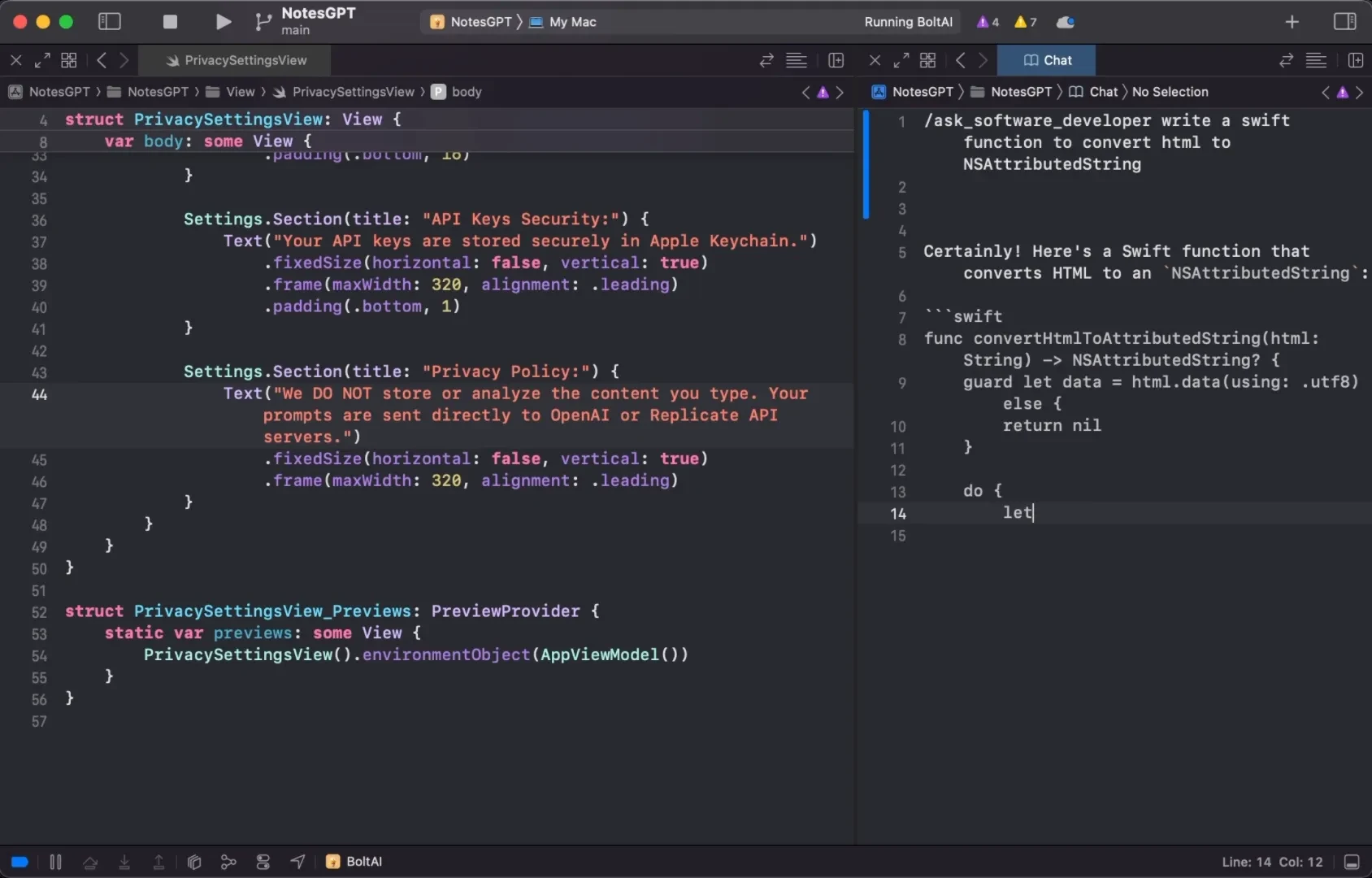
Built specifically for macOS using SwiftUI and AppKit, BoltAI delivers exceptional performance, seamless integration, and a truly native user experience. You can also download MacGPT for Mac.
Download BoltAI for Mac
Unlike browser-based AI tools, BoltAI runs as a lightweight desktop application that integrates directly with your operating system. With a simple keyboard shortcut, you can invoke AI assistance inside virtually any application without leaving your current workspace.
The software supports more than 300 AI models from popular providers including OpenAI, Anthropic, Google, Mistral, Azure, Amazon Bedrock, and local large language models (LLMs). Users can switch between models instantly and manage all AI interactions from a single unified interface.
BoltAI for macOS Free Download
Prominent Advantages
One of the most impressive aspects of BoltAI is its flexibility. The application supports both cloud-based AI services and local AI models, allowing users to choose the best option based on privacy, performance, and cost requirements.
By using your own API keys, BoltAI connects directly to AI providers without routing data through third-party servers. This ensures maximum privacy and security for professional users.
AI Commands and Inline Assistance
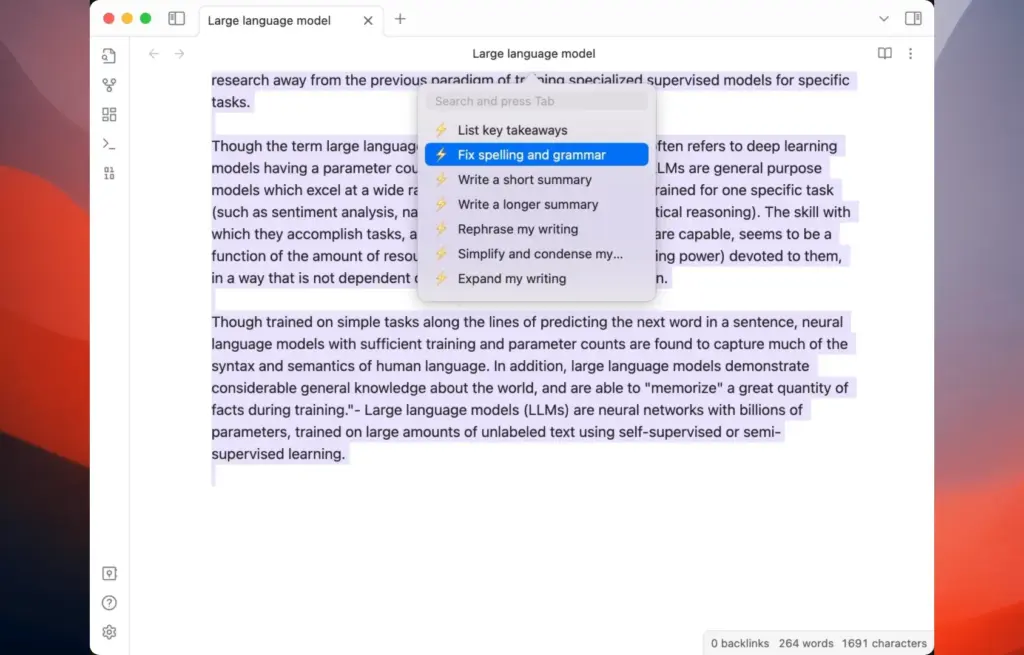
BoltAI introduces powerful AI Commands that work directly inside any macOS application. Users can highlight text, trigger a custom shortcut, and instantly perform tasks such as:
- Summarizing content
- Rewriting text
- Generating code
- Translating languages
- Fixing grammar
- Creating content drafts
The inline AI functionality eliminates the need to copy and paste information between applications.
Project and Agent Management
The software includes project-based chat organization, reusable AI agents, and conversation management tools. Users can create specialized agents with custom instructions, making it easy to maintain consistent outputs across different projects and workflows.
Privacy and Security
Privacy is a core focus of BoltAI. The application stores API credentials securely using Apple Keychain and automatically redacts sensitive information whenever possible.
No account creation is required, and user data is never stored on intermediary servers.
Conclusion
BoltAI is one of the most complete AI productivity tools available for macOS. Its native performance, extensive AI model support, powerful automation capabilities, and privacy-focused design make it an excellent solution for writers, developers, researchers, marketers, and business professionals.
Whether you rely on cloud-based AI services or local LLMs, BoltAI provides a fast, secure, and highly efficient way to bring artificial intelligence directly into your everyday workflow.
Features of BoltAI for Mac
- Access over 300 AI models from multiple providers
- Support for OpenAI, Anthropic, Google, Mistral, Azure, and Amazon Bedrock
- Integration with local LLMs including Ollama
- Native macOS application built with SwiftUI and AppKit
- Fast performance optimized for Apple Silicon Macs
- AI Commands for system-wide AI actions
- Inline AI support in any macOS application
- Custom keyboard shortcuts for quick access
- Reusable AI agents with custom instructions
- Project-based chat organization
- Multi-thread conversation management
- Conversation branching and forking
- Vision support for screenshots, PDFs, and images
- AI-powered document analysis
- Native AI dictation support
- Prompt library for saving reusable prompts
- Context-aware file attachments
- Secure API key storage using Apple Keychain
- Automatic sensitive data protection
- No account required
- Direct provider connections with no middle servers
- Universal Binary supporting Apple Silicon and Intel Macs
- Compatible with modern macOS releases
Technical Details
Software Name: BoltAI for Mac
Version: 12.1
File Extension: DMG
License Type: Premium
Developer: BoltAI
System Requirements
Operating System: macOS 13 Ventura or later
Processor: Apple Silicon (M1, M2, M3, M4) or Intel 64-bit
RAM: 4 GB minimum (8 GB recommended)
Storage: 50 MB free disk space
Internet Connection: Required for cloud AI providers. Local models can run offline.
Best Alternatives to BoltAI for Mac
Raycast AI
A powerful productivity launcher with built-in AI capabilities, offering quick access to multiple AI models through keyboard-driven workflows.
ChatGPT Desktop App
The official OpenAI desktop application for macOS with fast access to ChatGPT and native Mac integration.
Msty
A multi-provider AI desktop client supporting both cloud models and local AI systems with an easy-to-use interface.
Jan
An open-source, privacy-focused AI application designed for running local large language models completely offline.
Ollamac
A lightweight native macOS client built specifically for managing and interacting with Ollama-based local AI models.
Each alternative offers unique strengths, but BoltAI stands out by combining cloud AI services, local models, automation tools, AI agents, vision capabilities, and deep macOS integration into a single privacy-focused application.
Leave a Reply