








BoltAI 2.13.4 for Mac Free Download
Most Mac users who work with AI waste time every day. You stop what you are doing, open a browser, switch to ChatGPT or Claude, paste your text, wait for a response, and then switch back to your app to continue working. This constant cycle breaks your focus. BoltAI solves this problem completely. You can also download MacGPT for Mac.
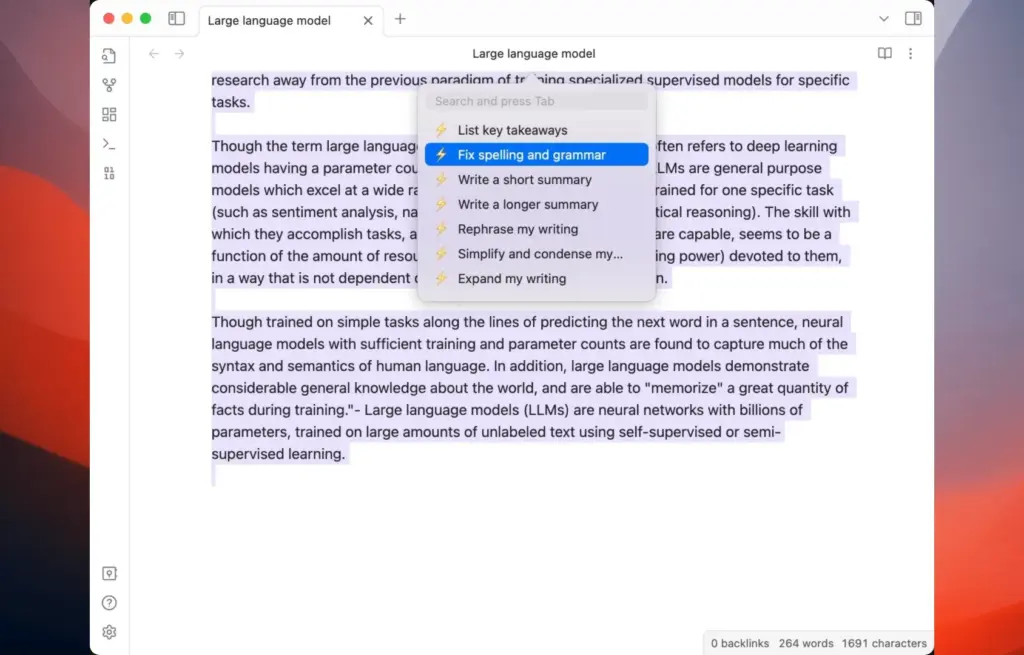
BoltAI 2.13.4 for Mac is a native macOS application.Simply press a keyboard shortcut, and AI is instantly available without switching tabs or opening a login page.
BoltAI for Mac Download
The app supports more than 300 AI models from a single interface. You can access OpenAI, Anthropic, Google, Mistral, Azure, Bedrock, and local LLMs such as Ollama from one unified workspace. Switching between models takes just one click. You do not need separate accounts for every provider. Simply add your own API keys and connect directly. Your prompts are sent straight to the provider without any intermediary servers or data storage.
BoltAI v2 is the latest release. It is faster, more capable, and more efficient than version 1. It introduces completely redesigned AI Commands, native AI dictation, vision support, reusable agents, and project-based chat management. Whether you are writing blog posts, debugging code, or analyzing PDF files, BoltAI handles everything directly within your current workflow.
BoltAI for Mac Free Download
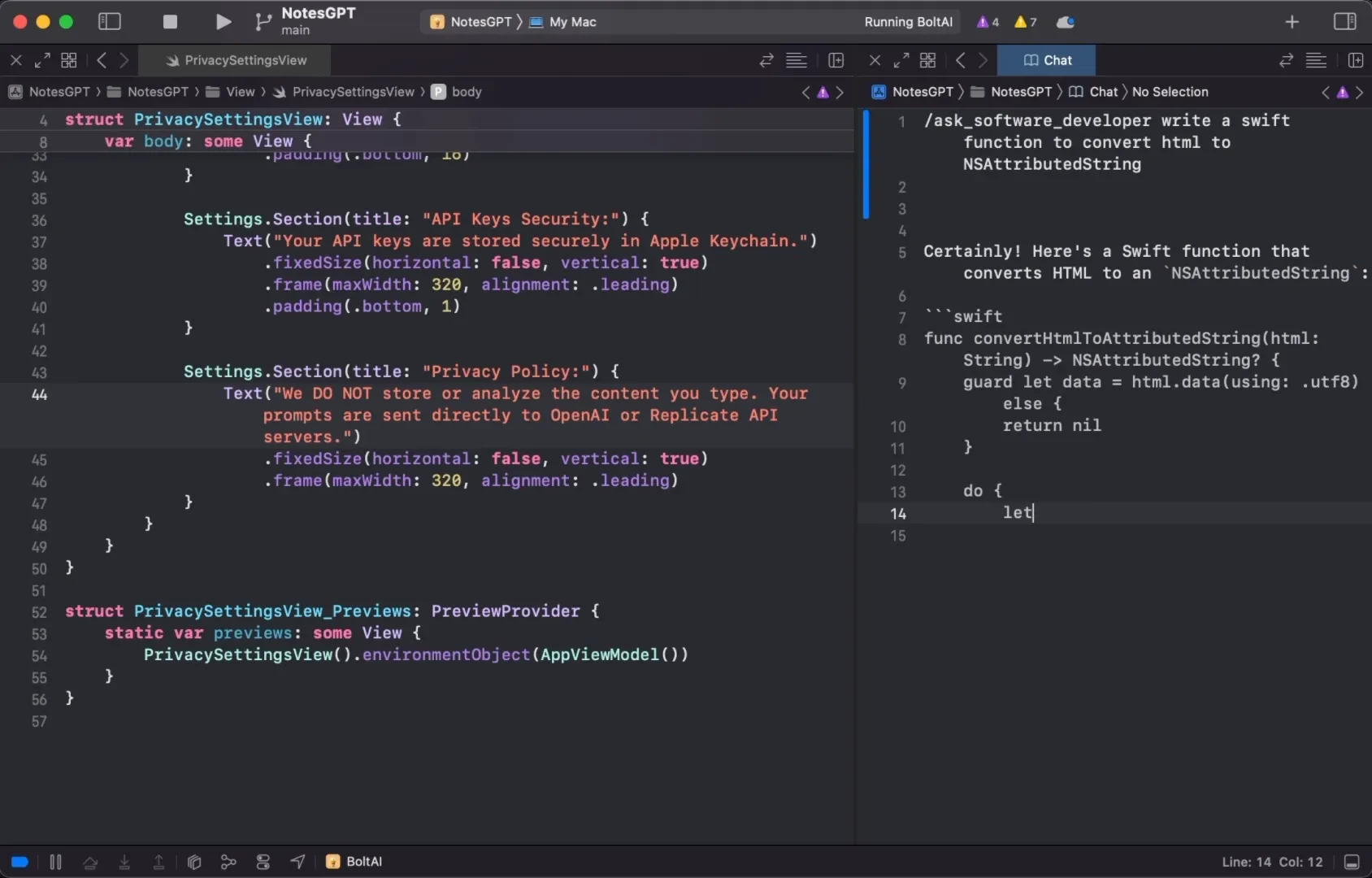
Privacy is built into BoltAI from the ground up. API keys are securely stored in the Apple Keychain, and sensitive information is automatically redacted. No account is required to get started, and no analytics run in the background. For professionals handling confidential information, this level of privacy is extremely important.
Overall, BoltAI is one of the most complete native AI clients currently available for Mac. It combines performance, privacy, flexibility, and deep macOS integration in a single lightweight application.
Features of BoltAI for Mac
- Access over 300 AI models, including OpenAI, Anthropic, Google, Mistral, Azure, Bedrock, and local LLMs
- Native macOS application built with SwiftUI and AppKit for fast Apple Silicon performance
- AI Commands allow you to run AI directly inside any app using customizable keyboard shortcuts
- Inline AI works in any text field across macOS without switching windows
- Reusable agents with custom instructions and knowledge for consistent outputs
- Project-based chat management with multi-thread support and conversation branching
- Vision support for analyzing screenshots, PDFs, source code, and research documents
- Native AI dictation that works in any text field with both cloud and local models
- Prompt library for saving and reusing frequently used prompts
- Context-aware file attachments with automatic context management
- API keys securely stored in Apple Keychain with automatic sensitive data redaction
- No account required, no middle servers, and prompts sent directly to AI providers
- Universal Binary with native support for both Apple Silicon and Intel Macs
- Compatible with macOS 13 Ventura and later versions, including macOS Tahoe
Download BoltAI for Mac
Technical Details
Software Name: BoltAI for Mac
Version: 2.13.4
File Extension: DMG
License Type: Premium
Developer: BoltAI
System Requirements
Operating System: macOS 13 Ventura or later
Processor: Apple Silicon (M1, M2, M3, M4) or Intel 64-bit processor
RAM: 4 GB minimum, 8 GB recommended
Storage: 50 MB free disk space
Internet: Required for cloud AI models. Local LLMs can work offline.
Best Alternatives to BoltAI for Mac
BoltAI is one of the best native AI clients for Mac users who want multi-model access, privacy, and deep system integration. If you need something different, here are some strong alternatives.
Raycast AI
Raycast AI is a productivity launcher for Mac with built-in AI features.
ChatGPT Desktop App
The ChatGPT Desktop App is OpenAI’s official macOS application. It is fast, polished, and easy to use. However, it is limited to OpenAI models only and does not provide system-wide inline AI capabilities like BoltAI.
Msty
Msty is a desktop AI client for Mac that supports multiple providers and local models. It offers a clean chat interface and is available for free. However, it lacks the deep macOS integration and AI Command functionality found in BoltAI.
Jan
Jan is a fully open-source, offline-first AI application for Mac. It supports local models only and does not offer cloud integration. It is ideal for privacy-conscious users who prefer running everything locally without API costs.
Ollamac
Ollamac is a lightweight native macOS interface designed specifically for Ollama local models. It is free and easy to use but only supports local models and lacks the advanced workflow automation features available in BoltAI.
BoltAI stands out for Mac users who need a single application that combines cloud models, local LLMs, system-wide AI commands, reusable agents, dictation, and vision capabilities in one native, privacy-focused package.