







PDF to PowerPoint – Flyingbee 10.2.4 for Mac
PDF to PowerPoint – Flyingbee 10.2.4 for Mac solves this problem with a fast, offline solution. It converts PDF documents into fully editable Microsoft PowerPoint (.PPTX) presentations directly on your Mac. Since all processing happens locally, your files remain private and never leave your computer.
PDF to PowerPoint – Flyingbee for Mac Free Download
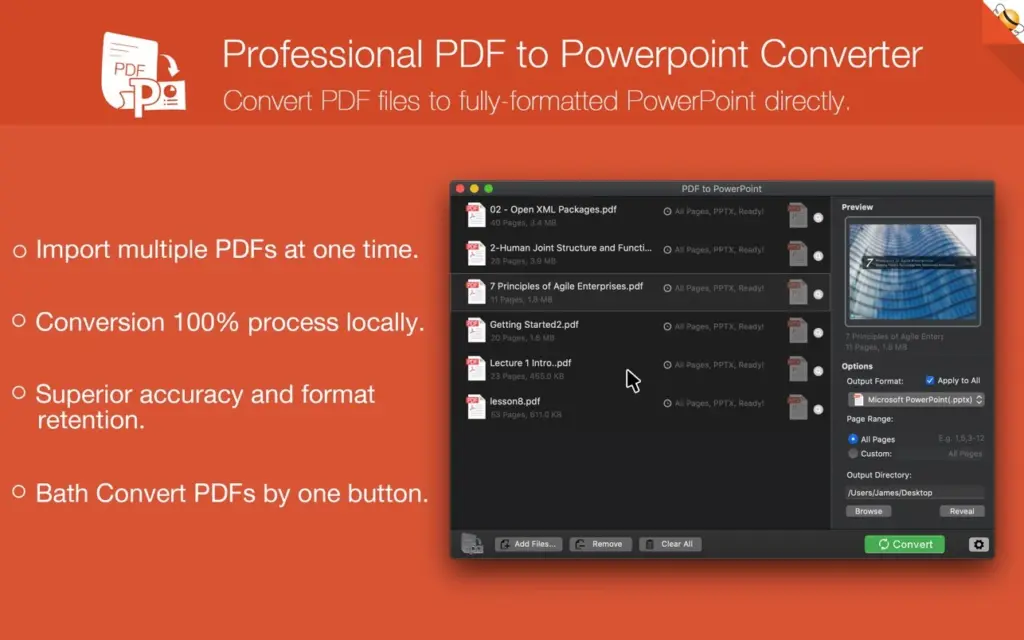
The application features a clean and intuitive interface that makes converting PDFs incredibly simple. Just drag and drop your PDF into the app, choose the pages you want to convert, and click Convert. Within seconds, you’ll receive a fully editable PowerPoint presentation that can be opened in Microsoft PowerPoint, Apple Keynote, or any compatible presentation software.
High-Accuracy PDF to PPT Conversion
One of the biggest advantages of Flyingbee PDF to PowerPoint is its excellent conversion accuracy. The software preserves virtually every element from the original document, including:
- Text formatting
- Images
- Fonts
- Tables
- Hyperlinks
- Shapes
- Layouts
- Vector graphics
- Charts and diagrams
Unlike many converters that distort formatting, Flyingbee produces PowerPoint files that closely match the original PDF, allowing users to edit slides immediately without rebuilding their presentations.
OCR Support for Scanned PDFs
The latest version includes a built-in OCR (Optical Character Recognition) engine, making it easy to convert scanned PDFs and image-based documents into editable PowerPoint presentations.
Simply select the document language before conversion, and the OCR engine accurately recognizes and extracts text while maintaining the original layout.
The updated OCR engine also delivers higher-quality image processing, producing slides with significantly sharper graphics and better visual clarity.
Native macOS Experience
Flyingbee is designed specifically for macOS and integrates perfectly with the operating system. It supports Dark Mode, Retina displays, drag-and-drop functionality, and Apple Silicon processors for smooth and responsive performance.
Whether you’re a student, teacher, office worker, or business professional, PDF to PowerPoint provides a fast and secure way to convert documents without relying on cloud services.
Features of PDF to PowerPoint – Flyingbee for Mac
- Convert PDF files to fully editable Microsoft PowerPoint (.PPTX)
- Completely offline conversion with no internet required
- No file uploads or cloud processing
- Preserve text, fonts, layouts, images, tables, and hyperlinks
- Maintain vector graphics, arrows, shapes, and Bézier curves
- OCR support for scanned PDFs and image-based documents
- Multi-language OCR recognition
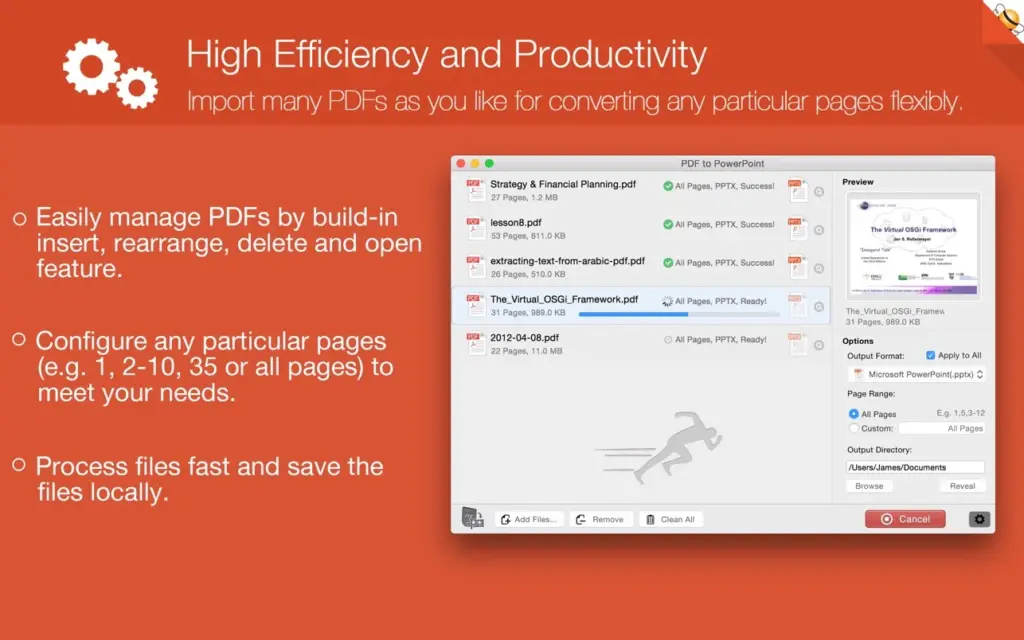
- Batch conversion for multiple PDF files
- Convert selected page ranges only
- Drag-and-drop PDF importing
- Built-in PDF preview before conversion
- High-definition image output for sharper presentations
- Native Dark Mode support
- Available in more than 15 interface languages
- Optimized for Apple Silicon and Intel Macs
Technical Details
Software Name: PDF to PowerPoint – Flyingbee
Version: 10.2.4
Software File: PDF-to-PowerPoint-10.2.4-TNT.dmg
File Size: 56 MB
File Format: DMG
License: Premium
Developer: Flyingbee Software Co., Ltd.
System Requirements
- Operating System: macOS 10.13 High Sierra or later
- Processor: Apple Silicon (M1, M2, M3, M4) or Intel 64-bit
- RAM: 4 GB minimum (8 GB recommended)
- Storage: 100 MB available disk space
Best Alternatives to PDF to PowerPoint – Flyingbee
Cisdem PDF Converter OCR
A powerful PDF converter that supports Word, Excel, PowerPoint, HTML, EPUB, and other formats. It also includes advanced OCR for scanned documents.
Nitro PDF Pro
A complete PDF editing solution that includes PDF conversion, editing, annotation, form filling, and PowerPoint export features.
Adobe Acrobat Pro
Adobe’s professional PDF editor offers highly accurate PDF-to-PowerPoint conversion along with advanced editing and document management tools.
Smallpdf
A web-based PDF converter that supports PowerPoint conversion. It is easy to use but requires uploading files to cloud servers.
iLovePDF
Another popular online PDF conversion platform offering PDF-to-PowerPoint conversion, merging, compression, and editing tools.
Conclusion
PDF to PowerPoint – Flyingbee is one of the best offline PDF-to-PowerPoint converters available for macOS. Its fast conversion speed, excellent formatting accuracy, OCR capabilities, batch processing, and privacy-focused offline workflow make it an excellent choice for students, educators, business professionals, and anyone who regularly converts PDF documents into editable PowerPoint presentations.